Learn about AI and NoCode. Curated news, tutorials and interviews every week. Deep dives on how to build with AI and NoCode tools.
Share
🔥 Why Claude Skills can supercharge your productivity
Published 4 months ago • 5 min read
Create something today with AI & Visual Development ✨
Hello and Happy Tuesday to the regulars and the 102 new subscribers 👋
As part of our mission to educate as many people as possible about AI, we're closing out our series on building AI Agents but looking at the feature "human in the loop"...plus more. Let's jump in...
🔎 Preview: In today's issue
🤔 How Zapier does Human in the Loop (Episode 6 of AI Agents)
📺 Must watch video on Claude Skills. Very Entertaining
🚀 Vibe code with connectors...life made easier
✅Thanks for being an active Create With Member
Access your member perks, exclusive content and office hours.
This is what a Zapier "human in the loop" step looks like
This one’s the finale in our AI Agent series, and it’s about keeping you in the mix.
Your agent’s smart, but it’s not you. “Human in the loop” means a person stays involved to guide, check, or approve the agent’s work. It’s how you blend AI speed with human judgment, and now it’s a built-in feature inside the tools.
🧰 What it looks like
In this example, we're using Zapier as the tool to demostrate it in use. Most if not all agentic workflow builders will have a 'Human in the loop' feature (with very similar feature parity). Just watch out for differences in the user experience.
You’ll see clear options to approve, decline, or edit the agent’s output before anything goes live.
You can even mimic this in your own workflows, for example by having the agent create Gmail drafts instead of sending emails straight away.
the draft email step, rather than send email step
👩💻 Think of it like an intern again:
You wouldn’t let a new hire send messages on day one. You review, give notes, and approve. Over time, they learn your tone and standards, and you step back a little more.
🧩 Why it matters
Quality control: Catch errors before they go public.
Learning loop: Your feedback helps the agent improve.
Trust: You stay confident as automation grows,
⚙️ How to stay in the loop
Start with approval mode: the agent drafts, you confirm.
Move to review mode: it acts, but flags key steps for you.
Add autonomy tiers: some actions need a check, others don’t.
as well as editing the approval/decline options you can also give the approver the ability to edit. Neat!
💡 Example
In this example (which we actually use), before the proposal is sent out to a client, we get approval via Slack.
Human in the loop closes the loop, a final step that keeps AI practical, safe, and collaborative.
To see all our events plus events near you, visit our events directory
📺 Events Recap
We just closed out the Amsterdam edition of Create With Meetups
Big thanks everyone who came down plus Maarten Munster and Diederik Martens for their inspiring and insightful talks about no-code SaaS and AI automations, and to Make for sponsoring and making this possible. We're frantically editing the videos so we can get them on Youtube for you
📺 Stop giving your AI Agents TASKS... here's what to do instead
Paul Wiseall, leader of TEDx Bristol, gives a highly entertaining look at the current state of AI Agents and his favourite use-cases
🍕 Key takeaways 
Roles over tasks: Giving agents persistent roles builds context and autonomy; task lists alone lead to shallow, brittle behaviour. 
Structured context matters: Big context windows help, but the real unlock is how information is organised and retrieved during work. 
Ingestion with intent: Pull only the data that serves decisions; indiscriminate ingestion drives cost and noise. 
Use Claude Skills as “Lego bricks”: Lightweight skills encapsulate capability and context, called only when relevant—dramatically reducing tokens versus MCP. 
Human-in-the-loop: Even with crews of specialised agents, keep humans guiding, correcting, and rolling back when systems drift. 
Click here to help us to keep the lights on and become one of our sponsors. We have a consistent CTR of over 40% and an audience of tinkerers, builders and pros.
🔊 On your radar
Keep your finger on the pulse of what we think is hot in the space right now 🔥
👉 Why it matters: Bubble added a secrets scanner in the security dashboard. It checks your app for exposed keys and sensitive tokens, then flags risks before they bite. If you’re building with plugins, webhooks, or third‑party APIs, run a scan, rotate any keys it finds, and move them into environment variables or Bubble’s secrets manager. It’s a simple win for safer, more professional apps. Kudos to CreateWith friend George Collier for being on top of this as always
👉 Why it matters: "Vibe coding" apps that can read and write Zendesk tickets is a signal that that more will come. This gives so much power back to the end users, not the developers. We like how Replit are shipping. Practical uses include syncing support tickets to Linear, flagging at‑risk customers with Stripe data, and nudging Slack when high‑priority tickets sit unassigned.
👉 Why it matters: Don't necessarily get caught up in the hype of Skillls and MCPs. Claude’s Projects let you store your files, briefs, and brand context in one place, then reuse them across tasks without re-explaining. The boring marketer uses projects to draft content, plan SEO, define conversion paths, and hand off structured instructions to Claude Code for implementation. Practical tip: put your docs in a GitHub repo and sync it to a Project for cleaner versioning and better retrieval
🐒 AI in the wild
Fun, interesting, or innovative ways real people use AI in their daily lives and work.
Now this story is epic!
Did you know you can also use it to run an entire Pinterest strategy on autopilot?
Ricardo Ghekiere, Co-Founder at Betterpic.io and BetterStudio.io, built a single Zapier workflow that uses AI to post headshots to Pinterest
Completely hands-free.
The result? Over 8 million impressions and 11,000 clicks to their site, all from an automated process that runs quietly in the background. Pinterest happens to be one of the few platforms that still allows large-scale automation — and Ricardo’s found the sweet spot.
His first traction:
“My biggest win was when my partner actually liked her first headshot...that was a year in. Before that, it was the moment people started praising how easy our new upload process was. Making something seamless enough that real people want to use it. That’s when it felt real.”
We're in the process of writing up this story in more detail, but we felt we had to share it!
How are you using AI in your work? Tell us — we’d love to feature you next.
💭 Final Thoughts
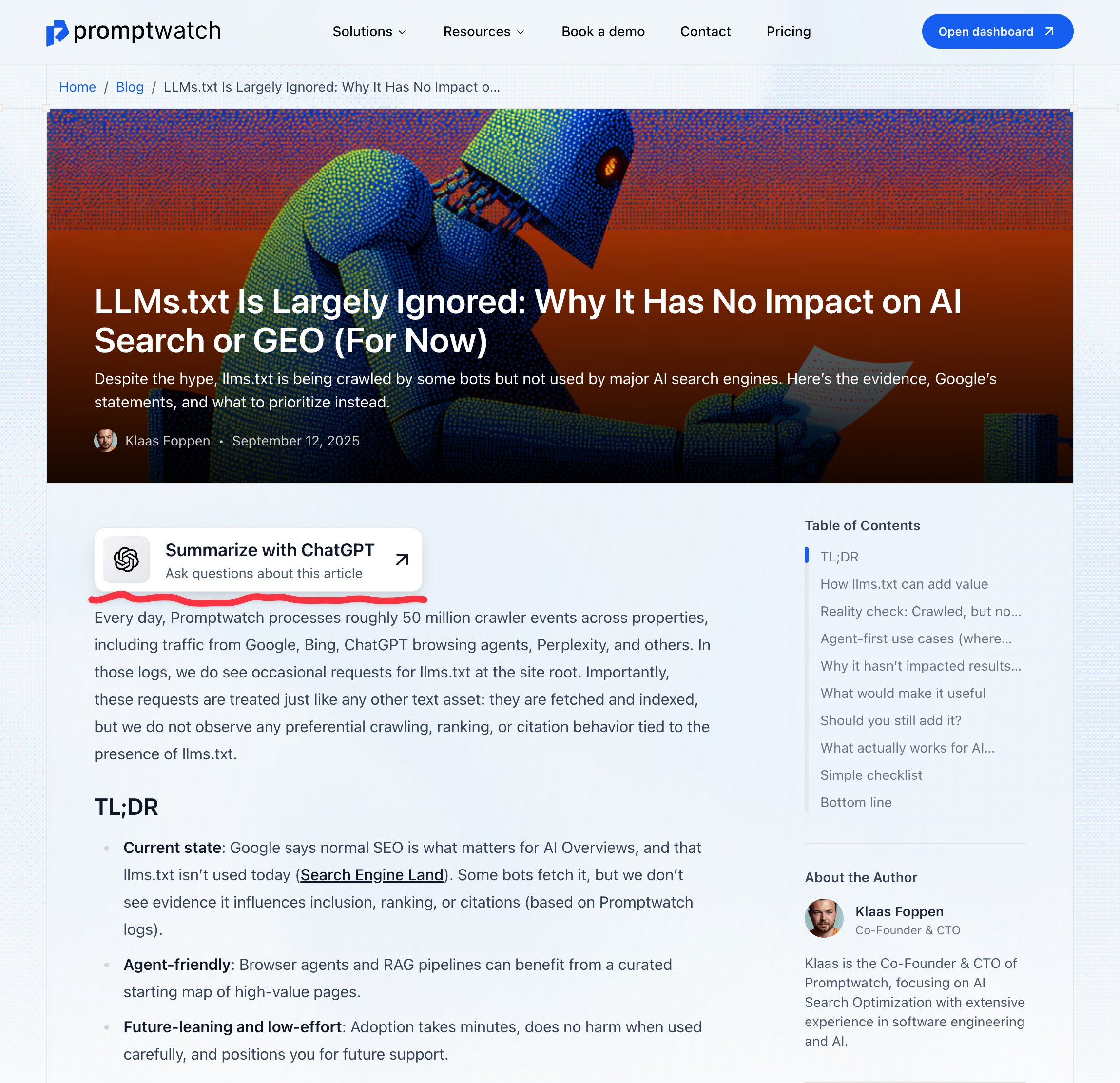
New marketing hack discovered from X user Klass. By clicking this button it may update the users memory and context so you appear more often.
We're not sure but it's worth adding it to your site and tracking who clicks
See you next week! With good vibes ✨ The Create With Team
Did you find this edition of the Create With newsletter useful?
Create something today with AI & Visual Development ✨ Hello and happy Tuesday, Thursday! 😰 As we near the end of 2025 and overwhelm sets in with all our unmet goals; we've decided to make this issue something of a personal retrospective on the past year. Make a brew and let’s jump in… 🫖 🔎 Preview: In today's issue 😶🌫️ Kieran's view on vibe coding is changing 🤔 Matt's thoughts on AI agents 📺 James's hot takes from Asia It's been quite a year for changes in the AI landscape and at times I've...
Create something today with AI & Visual Development ✨ Hello and happy Tuesday! We have big news! Our flagship conference is coming back in 2026 and early-bird tickets are on sale NOW. Let’s jump in… 🔎 Preview: In today's issue 🤔 Agentic workflows inside Notion 📺 From coffee chaos to automation pro 🐒 AI in the wild: real‑world uses ✅ Thanks for being an active Create With Member Access your member perks, exclusive content and office hours. Go to Dashboard 🚨 BIG NEWS... Create With 2026 tickets...
Create something today with AI & Visual Development ✨ Hello and happy Tuesday! Happy thanksgiving (this Thursday) for our American friends. As part of our mission to educate more people about AI, we’ve got a deep dive on Google's newly released Nano Banana Pro...bottom line...it's Pro. Also... keep your eye out for a big announcement from us in the next few days! Let’s jump in… 🔎 Preview: In today's issue 🤔 Google Gemini Nano Banana Pro explained 📺 THIS is what an AI power-user looks like 🔥...